Teknoloji Gunlugu

Blog


x

  • 1 Ocak 2020
  • Genel

x


x

  • 1 Ocak 2020
  • Genel

LinuxVSM (VMware Software Manager on Linux)


LinuxVSM (VMware Software Manager on Linux)

Finding VMware installation media and downloading them properly can be a problem from time to time and creates confusion.

LinuxVSM was created by Edward Haletky to solve these problems.

The project is accessible via Github and also has installation support on MacOS.

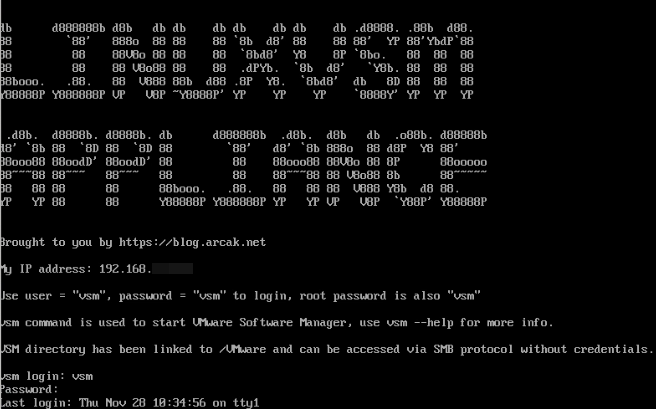
Assuming weak linux ability, I created a VMware template on a minimal Centos distribution with LinuxVSM code inside.

The template I created;

  • Can be deployed via vSphere, it can receive network settings on deployment and can be accessed via VRMC and SSH.
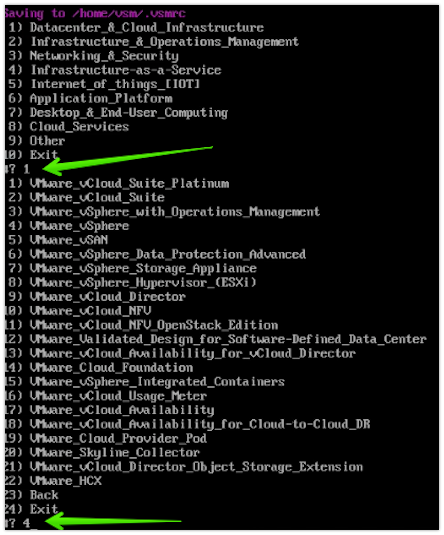
  • After operating system login, the download application can be started with a single command (vsm) and files can be downloaded with a valid VMware credentials.
  • The downloaded files can be accessed through the Windows File Sharing protocol SMB.

Here are the necessary steps for installation;

The download link for the LinuxVSM file is available here.


LinuxVSM (VMware Software Manager on Linux)

VMware kurulum kaynaklarını bulup tamamını düzgün şekilde indirmek sorun olabiliyor zaman zaman.

Güncellik, uyum derken kafa karışıklığına sebebiyet verebiliyor, bu sorunları en aza indirmek amacıyla Edward Haletky tarafından LinuxVSM oluşturulmuş. Proje’ye Github üzerinden erişilebilir, ayrıca MacOS üzerine kurulum desteği de mevcut.

Herkesin linux ile arasının iyi olmadığını varsayarak LinuxVSM kodu içeren minimal Centos dağıtımı üzerine VMware template oluşturdum.


Microservices

I would like to talk a little about microservices, and  i try to  step up by real life examples.

Think there is an obsessed mother with four children, she is taking care of all the following things herself,
and she has to serve the guest as well.

She is too obsessed with the routine and the workplace so and cannot change them.
It changes the whole layout when jobs need a change.

  • Child care
  • Laundry
  • Washing Dishes
  • Home Cleaning
  • Ironing
  • Guest hospitality

On the other side, there is another mother who doesn’t want to squeeze herself and wants to use her resources efficiently.

This mother’s;

  • The eldest child looks after the others
  • A child is washing clothes
  • A child washing dishes
  • A child cleans the house
  • The mother can both iron and serve to the guests


Mikroservisler

Biraz mikroservislerden bahsetmek istiyorum, gerçek hayattan örnekle pekişeceği kanaatindeyim.

4 çocuklu takıntılı bir annemiz var, aşağıdaki işlerin tamamıyla kendisi ilgileniyor, yetmezmiş gibi misafire de hizmet etmesi gerekiyor.

Ayrıca takıntılı olduğu için bir sıra halinde yapıyor, rutini ve mekanı değiştiremiyor. İşlerde değişiklik gerektiğinde tüm düzenini değiştiriyor.

  • Çocukların bakımı
  • Çamaşır
  • Bulaşık
  • Temizlik
  • Ütü
  • Misafir

Diğer tarafta kendini çok sıkmak istemeyen, elindeki kaynakları daha iyi kullanmak isteyen bir anne var.

Bu annenin;

  • En büyük olan çocuğu diğerlerine bakıyor
  • Bir çocuk çamaşır yıkıyor
  • Bir çocuk bulaşık
  • Bir çocuk temizlik yapıyor
  • Anne hem ütü yapabiliyor hem misafir ağırlayabiliyor.


Temel Linux Eğitimi Kitabı

Merhabalar,

Eğitim için kullanmak amacıyla derleme bir kaynak oluşturdum, daha çok uygulamalı tercüme gözüyle de bakılabilir.

Yorumlarınız benim için çok önemli, gözden kaçan hatalar veya eklenmesini istediğiniz alanlar varsa benimle paylaşabilirsiniz.

Dosyayı buradan indirebilirsiniz.


Cross vCenter Migration

We come across migration issues that need to be done from different environments to different locations. These features are already included officially in VMware.

However, as can be seen from the following link, many of us afraid of integration steps needed and it also has licensing requirements.

https://kb.vmware.com/s/article/2106952

Many of you know that there is a portal called VMware Flings, where VMware Professionals are developing unofficial solutions for business needs.

Again, after a project need, I came across the following tool and realized that the Cross vCenter Migration would become incredibly easy.


Cross vCenter Migration

Projelerimizde zaman zaman farklı ortamlardan yapılması gereken taşıma işleriyle karşılaşabiliyoruz. Farklı lokasyon ya da vCenter‘lar arası taşıma işlemleri resmi VMware özellikleri içerisinde de yer almakta.

Ancak aşağıdaki bağlantıdan görülebileceği üzere gerek lisans gereksinimleri gerek entegrasyon adımlarının çokluğu sebebiyle çoğumuzun gözü korkmakta.

https://kb.vmware.com/s/article/2106952

Bir çoğunuz VMware Flings diye bir portalın olduğunu ve burada VMware Profesyonellerinin ihtiyaçlara yönelik resmi olmayan çözümler geliştirdiğini biliyorsunuzdur.

Yine bir proje ihtiyacı akabinde aşağıdaki araca rastladım ve Cross vCenter Taşıma işlemlerini inanılmaz kolaylaştırdığını farkettim.


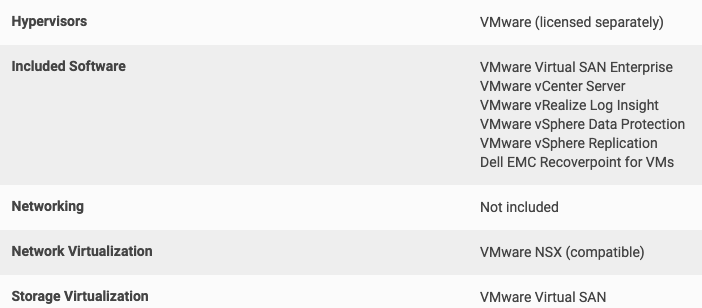
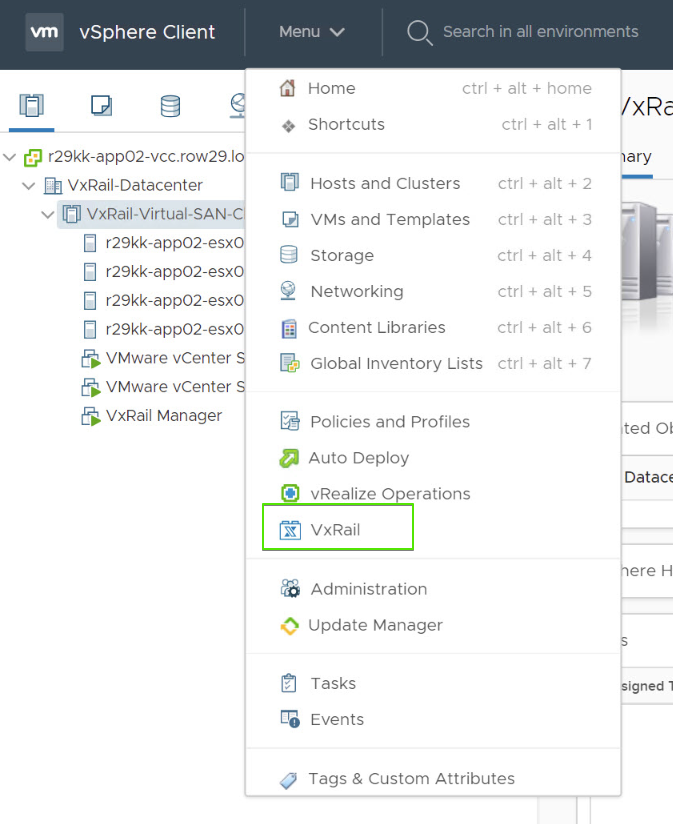
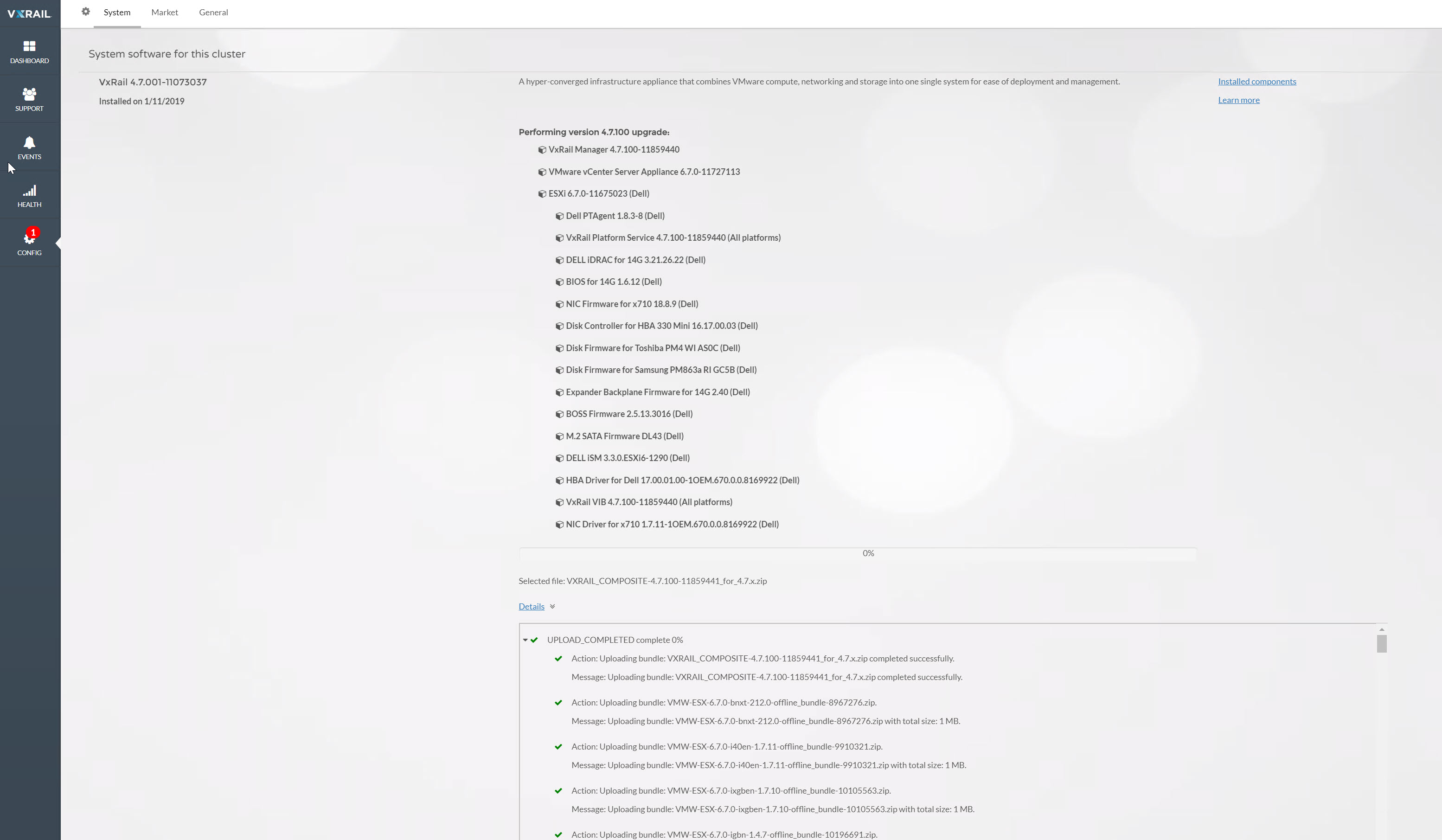
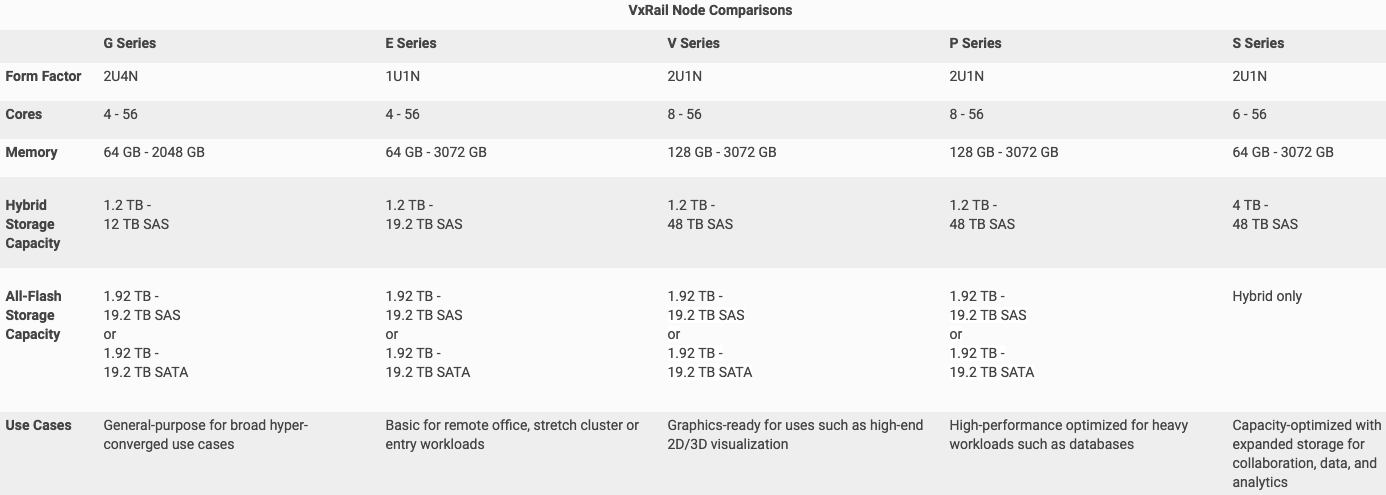
Dell EMC VxRail Installation

In This article, I will talk about prerequisites, installation and basic issues for VxRail installation.

When I created the this document, the VxRail version was 4.5.300. Therefore, it may differ with the current version. (Adding new nodes, ESRS installation, etc.)

Requirements (General)

Step Definition
1 Complete physical installations of Servers and Switches.
2 Do the IDRAC and Switch BMC wiring.
4 One cable from server to Tor Switch A, the second cable is to Tor Switch B.
5 Connect Tor Switches in the customer network and configure them as a stack, making sure there are no LACP on it.
3 Create the corresponding VLANS on Top-Of-Rack (Tor) Switches to be used for the VxRail.
6 Enable IPv4 and IPv6 multicast for the Management VLAN and IPv4 multicast for the vSAN VLAN.
6 Create forward and reverse DNS records for ESXi, VCenter, and Log Insight and make sure they are resolved.
7 Make sure the Customer network is accessible. (AD, DNS, Proxy, etc.)
8 Ensure that the ESXi servers and the NTP server show the same time, if necessary, fix the time via the IDRAC and ESXi host.
10 Tagged or Untagged traffic from Tor Switch ports connected to Vxrail are allowed, decide by structure.
11 Allow all traffic to pass through ports used in connection between all switches, including IPv4 and IPv6 multicast if Multiple switches are in use.
Optional Check that the EMC support account is correct.
Optional Make sure that the Switches connected to the BMC and the IDRAC support 100Mbps.